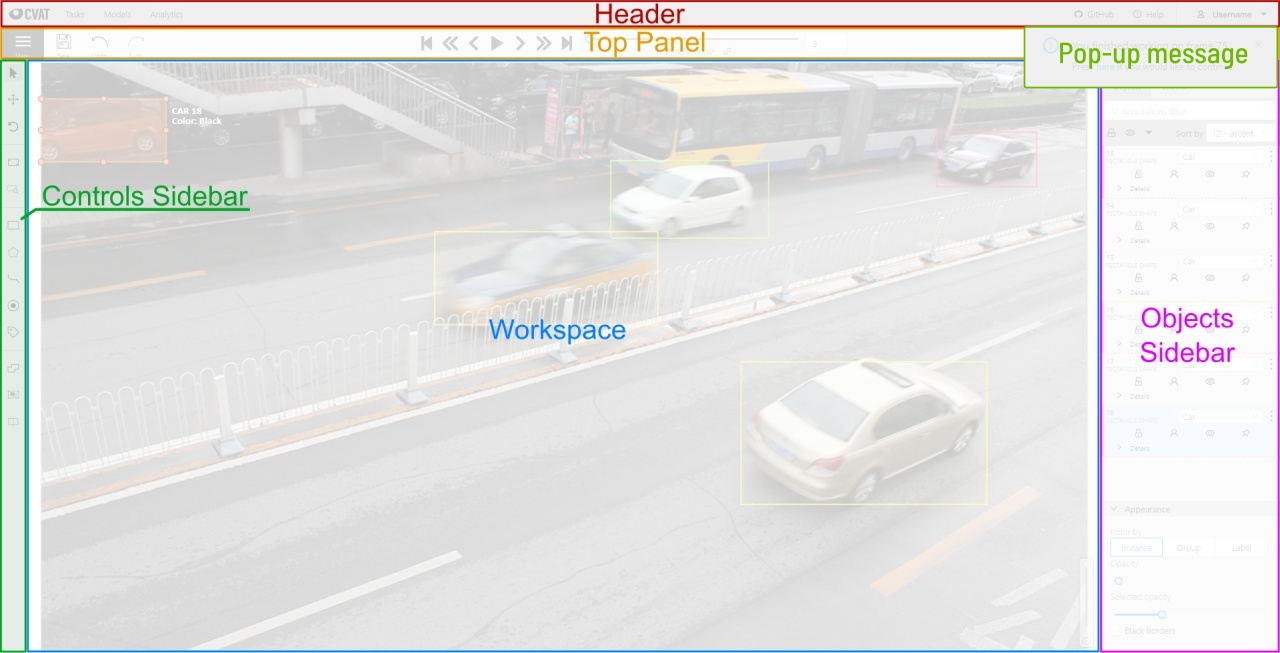
Interface of the annotation tool
The tool consists of:
Header- pinned header used to navigate CVAT sections and account settings;Top panel— contains navigation buttons, main functions and menu access;Workspace— space where images are shown;Controls sidebar— contains tools for navigating the image, zoom, creating shapes and editing tracks (merge, split, group)Objects sidebar— contains label filter, two lists: objects (on the frame) and labels (of objects on the frame) and appearance settings.
Last modified
February 10, 2022
: Update documentation. Added information about pop-up messages (#4316) (d2e691cf)